Gitea
Free self-hosted git service. My lab needs this for disconnected gitops testing.
The following are the steps I took to deploy in my lab. For a full explanation see Gitea Installation
Database Prep (MariaDB)
Install MariaDB (RHEL9).
sudo dnf install mariadb-server
Enable and start MariaDB.
sudo systemctl enable --now mariadb.service
Note
Service listens on TCP port 3306
Login to database console as root
sudo mysql -u root -p
Note
There should not be a passwd.
Create DB user for gitea
SET old_passwords=0;
CREATE USER 'gitea'@'%' IDENTIFIED BY 'gitea';
Create DB
CREATE DATABASE giteadb CHARACTER SET 'utf8mb4' COLLATE 'utf8mb4_bin';
Grant DB privileges
GRANT ALL PRIVILEGES ON giteadb.* TO 'gitea';
FLUSH PRIVILEGES;
Exit DB console and test connection
exit

mysql --user=gitea --password=gitea giteadb
Install from binary
Find the download version/platform/binary at Gitea Downloads
Important
“su - root” to run the following commands.
Download with wget
wget https://dl.gitea.com/gitea/1.22.2/gitea-1.22.2-linux-amd64 -O gitea
chmod +x gitea
Copy to /usr/local/bin
cp gitea /usr/local/bin/
Tip
For the proper selinux policy use cp, don’t mv.
Create git user.
groupadd --system git
adduser \
   --system \
   --shell /bin/bash \
   --comment 'Git Version Control' \
   --gid git \
   --home-dir /home/git \
   --create-home \
   git
Create required directory structure.
mkdir -p /var/lib/gitea/{custom,data,log}
chown -R git:git /var/lib/gitea/
chmod -R 750 /var/lib/gitea/
mkdir /etc/gitea
chown root:git /etc/gitea
chmod 770 /etc/gitea
Run Gitea as service
Copy the sample gitea.service
wget https://raw.githubusercontent.com/go-gitea/gitea/release/v1.22/contrib/systemd/gitea.service -O gitea.service
Uncomment “mariadb.service” in gitea.service, cp to /etc/systemd/system/.
sudo cp gitea.service /etc/systemd/system
Enable, start and check status gitea
sudo systemctl enable --now gitea.service

sudo systemctl status gitea
Allow gitea default mgmt port (3000).
sudo firewall-cmd --add-port=3000/tcp --permanent
sudo firewall-cmd --reload
sudo firewall-cmd --list-all
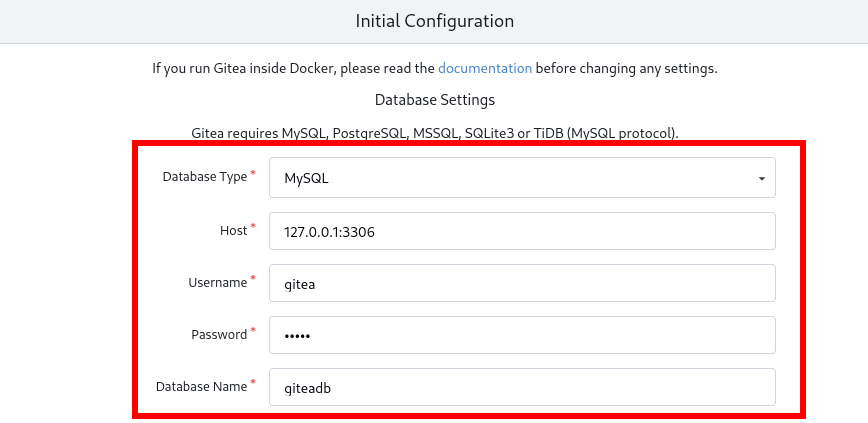
Browse to http://<server_IP>:3000/ and configure gitea. Should only need to add DB settings.
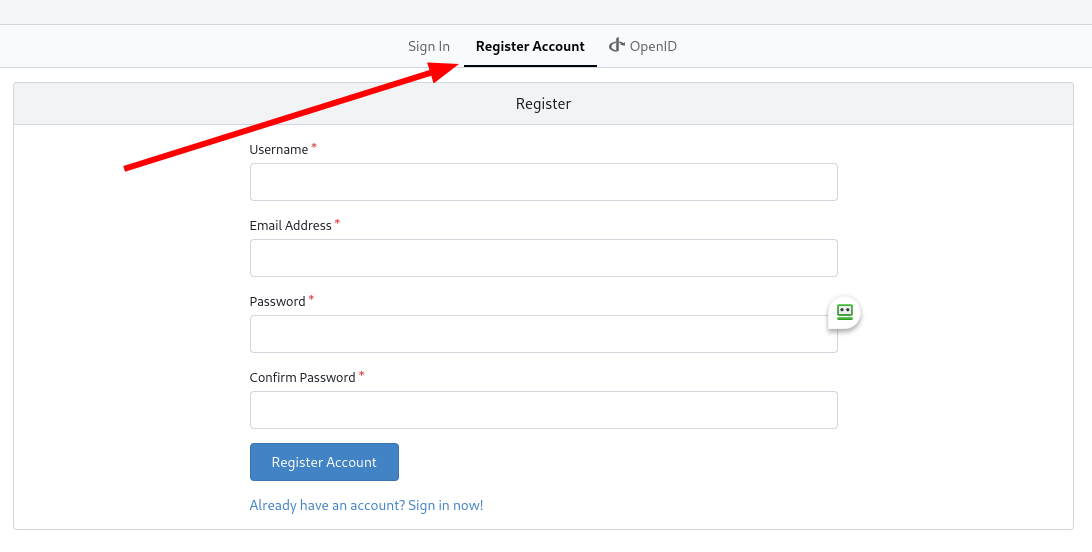
Register Account / User